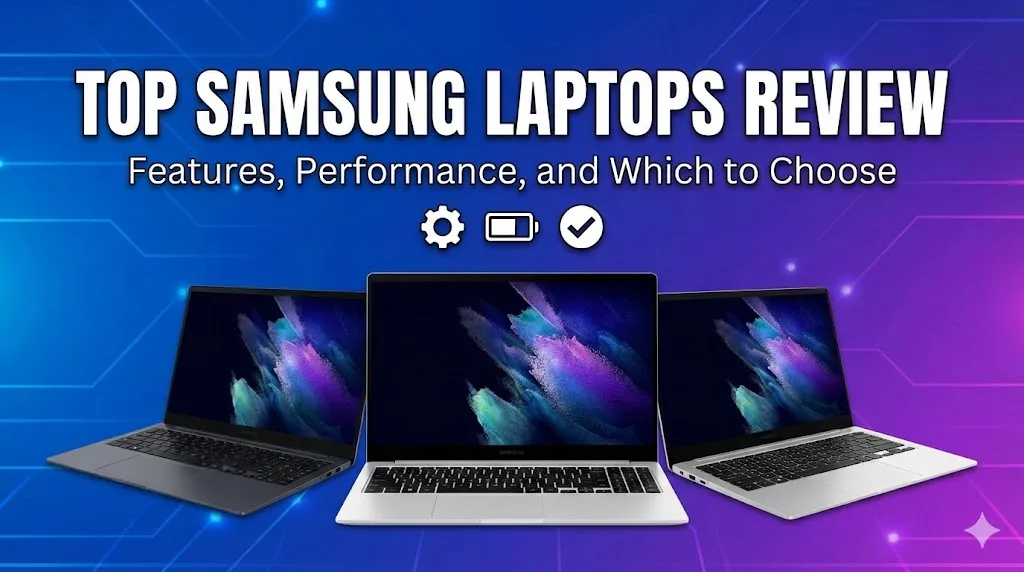
Looking for a powerful and stylish laptop? Samsung laptops, especially the Galaxy Book series, are strong contenders. This review breaks down the top models, from ultra-portable 2-in-1s to performance powerhouses. We’ll explore their key features, who they’re best for, and how they compare. Whether you’re a student, creative professional, or business user, find the perfect Samsung laptop for your needs and budget right here.
The Evolution of Samsung Laptops: More Than Just Phones
Samsung is a giant in the smartphone world, but its foray into laptops has been strategic and innovative. The Galaxy Book line represents their commitment to creating a seamless ecosystem, much like Apple’s. These laptops often feature deep integration with Samsung phones and tablets, allowing for easy file sharing, call handling, and notifications. The design philosophy is consistent: sleek, modern, lightweight, and packed with high-quality displays. Our top Samsung laptops review features will show that they compete on performance, portability, and unique ecosystem benefits rather than just raw specs.
In-Depth Review: Samsung Galaxy Book3 Ultra
The Galaxy Book3 Ultra is Samsung’s flagship performance laptop, designed to rival the MacBook Pro and Dell XPS 15.
Key Features:
-
Display: A stunning 3K (2880×1800) AMOLED touchscreen with a 120Hz refresh rate. It offers incredible color accuracy, deep blacks, and smooth motion, perfect for media consumption and creative work.
-
Performance: Equipped with up to an Intel Core i9 processor and NVIDIA GeForce RTX 4070 graphics. This makes it capable of heavy video editing, 3D rendering, and even gaming.
-
Design: It maintains a surprisingly thin and light profile for its power, with a premium aluminum build.
-
Keyboard & Trackpad: A comfortable backlit keyboard and a large, responsive trackpad.
Who is it for? Creative professionals (video editors, graphic designers), power users needing maximum performance, and those who want a Windows alternative to the MacBook Pro.
Samsung Galaxy Book3 Ultra vs. Key Competitors
| Feature | Samsung Galaxy Book3 Ultra | MacBook Pro 16-inch (M3 Pro) | Dell XPS 15 9530 |
|---|---|---|---|
| Key Processor | Intel Core i7/i9 | Apple M3 Pro | Intel Core i7/i9 |
| Key Graphics | NVIDIA RTX 4050/4070 | Integrated Apple GPU | NVIDIA RTX 4050/4070 |
| Display | 3K AMOLED, 120Hz | Liquid Retina XDR, 120Hz | 3.5K OLED, 60Hz |
| Ecosystem | Samsung Galaxy Integration | Apple Ecosystem | Windows Focus |
| Starting Price | High | Very High | High |
In-Depth Review: Samsung Galaxy Book3 Pro 360
This model is a versatile 2-in-1 convertible, meaning its screen can rotate 360 degrees to be used as a tablet. It’s a highlight in any top Samsung laptops review features list for its flexibility.
Key Features:
-
2-in-1 Design: The flexible hinge allows for laptop, tent, stand, and tablet modes. It includes an S Pen stylus in the box for note-taking and drawing directly on the screen.
-
Display: Features a gorgeous Full HD or 3K AMOLED touchscreen. The colors pop, and the touch responsiveness is excellent.
-
Performance: Uses efficient Intel Core i5/i7 U-series processors with integrated Iris Xe graphics. It’s great for productivity, streaming, and light creative tasks, but not for intensive gaming.
-
Portability: Exceptionally thin and light, with long battery life, making it ideal for mobile use.
Who is it for? Students, note-takers, business presenters, artists who sketch, and anyone who values the flexibility of a tablet and laptop in one device.
In-Depth Review: Samsung Galaxy Book4 Pro
The Galaxy Book4 Pro is the sweet spot for most users, offering a balance of performance, display quality, and portability. It’s often considered the best all-rounder.
Key Features:
-
Display: The star is its Dynamic AMOLED 2X display, available in 14-inch or 16-inch sizes. It’s incredibly bright, vibrant, and easy on the eyes.
-
Performance: Powered by the latest Intel Core Ultra processors with integrated Arc graphics. This provides excellent everyday performance, improved AI capabilities, and decent efficiency for longer battery life.
-
Connectivity: Features a 1080p webcam, Wi-Fi 6E, and multiple ports including Thunderbolt 4.
-
Battery Life: Consistently delivers strong all-day battery performance.
Who is it for? Professionals, general users, writers, developers, and anyone who wants a premium, do-it-all laptop without the extreme price or weight of the Ultra model.
Samsung Galaxy Book Series Comparison (2024 Models)
| Model | Best For | Key Strength | Display Tech | Form Factor |
|---|---|---|---|---|
| Galaxy Book4 Ultra | Peak Performance & Creativity | Desktop-level power for pros | 3K AMOLED, 120Hz | Clamshell Laptop |
| Galaxy Book4 Pro 360 | Versatility & Creativity | 2-in-1 flexibility with S Pen | Dynamic AMOLED 2X Touch | Convertible 2-in-1 |
| Galaxy Book4 Pro | Balance & Portability | Stunning display & all-day use | Dynamic AMOLED 2X | Clamshell Laptop |
| Galaxy Book4 360 | Value & Flexibility | 2-in-1 features at a lower cost | FHD AMOLED Touch | Convertible 2-in-1 |
What Makes Samsung Laptops Stand Out? Unique Features
Beyond specs, several features define the Samsung laptop experience.
-
Samsung Ecosystem (Multi Control): Seamlessly control your Samsung phone, tablet, and laptop with one trackpad and keyboard. Drag and drop files instantly.
-
Second Screen: Wirelessly extend your laptop display to a compatible Samsung tablet, turning it into a portable second monitor.
-
AMOLED Displays: Consistently superior color, contrast, and brightness compared to many IPS LCD competitors.
-
S Pen Integration: Included with 360 models, it’s a natural-feeling stylus for drawing and notes without needing a separate purchase.
Choosing Your Samsung Laptop: A Buyer’s Guide
Consider these points before buying:
-
Your Primary Use: For coding and office work, the Book4 Pro is ideal. For art and notes, choose the Pro 360. For video editing, the Ultra is best.
-
Portability Needs: The 14-inch models are supremely portable. The 16-inch models offer bigger screens and often more power.
-
Budget: The Ultra commands a premium. The Pro models offer excellent value. Look for previous-generation Book3 models for discounts.
-
Must-Have Features: Do you need a touchscreen? An S Pen? Thunderbolt 4 ports? Make your list.
Decision Checklist: Which Samsung Laptop is Right for You?
| Priority | Recommended Model | Reason |
|---|---|---|
| Maximum Power for Creative Pros | Galaxy Book3/4 Ultra | Best CPU/GPU combo for rendering, editing, and design. |
| Best for Students & Note-Taking | Galaxy Book4 Pro 360 | Versatile 2-in-1 with included S Pen for lectures and study. |
| Premium Everyday Laptop for Work | Galaxy Book4 Pro (14″ or 16″) | Perfect blend of gorgeous screen, performance, and battery life. |
| Value with Flexibility | Galaxy Book4 360 or prior-gen Book3 360 | Gets you the 2-in-1 form and S Pen at a more accessible price. |
| Samsung Ecosystem Enthusiast | Any recent Galaxy Book | Best integration features with Samsung phones and tablets. |
Potential Considerations
No device is perfect. Some users note that Samsung laptops can be priced at a premium compared to some Windows rivals with similar core specs. Upgradeability is often limited, with RAM frequently soldered to the motherboard, so it’s crucial to choose the right configuration at purchase. While customer support has improved, it may not yet match the seamless experience of some dedicated PC manufacturers.
FAQs
Q: What is the best Samsung laptop for most people?
A: The Samsung Galaxy Book4 Pro offers the best balance of performance, display quality, and price for the average user.
Q: Do all Samsung laptops come with an S Pen?
A: No, only the convertible “360” models include the S Pen in the box; it is not included with standard clamshell laptops.
Q: Are Samsung laptops good for gaming?
A: Only the Galaxy Book Ultra models with dedicated NVIDIA RTX graphics are suitable for serious gaming; other models are for light or casual games.
Q: How does Samsung laptop battery life compare?
A: Samsung laptops, especially the Pro models, generally offer very good all-day battery life, often exceeding 10+ hours for light tasks.
Q: Can I upgrade the RAM on a Samsung laptop?
A: Typically no; most recent Galaxy Book models have RAM soldered to the motherboard, so you must choose your desired memory at purchase.
Q: Is the Samsung laptop ecosystem worth it?
A: If you own a Samsung phone or tablet, the seamless Multi Control and file sharing features add significant convenience and are a major selling point.
Final Summary
Our top Samsung laptops review features reveal a diverse and competitive lineup. The Galaxy Book series excels with stunning AMOLED displays, sleek designs, and unique ecosystem features that integrate beautifully with Samsung phones. Whether you need the brute force of the Ultra, the versatile 2-in-1 design of the Pro 360, or the balanced excellence of the standard Pro, there’s a model tailored to your needs. By prioritizing your use case, portability requirements, and budget, you can find a Samsung laptop that is a powerful and stylish companion for work and play.